For Windows + WSL2 and macOS
One calm window for every agent, terminal, and worktree.
Atrium is a desktop cockpit for the developer running several things at once — Claude sessions, dev servers, shells, three worktrees of the same repo — organized by project, visible at a glance, reachable in two keystrokes.
It organizes what’s running. It does not do the running for you.
v0.15.2 · free organizer, no account · Pro is $39 once — no subscription · all platforms & formats
Pay once, own it
Free is the whole organizer. Pro is $39, one time. There is no subscription — and never will be.
Zero telemetry
No analytics, no account, no backend the app depends on. Pull the network cable — Atrium keeps working.
Your subscription, not an API meter
Agents run as the real interactive session on your own flat plan. Atrium never invokes one headlessly.
Built for the day you actually have
Ten live panes across three projects. Two agents working, one waiting on you, a dev server you forgot about. Atrium’s answer isn’t more automation — it’s a single quiet window where all of it is legible.
Know the moment an agent needs you
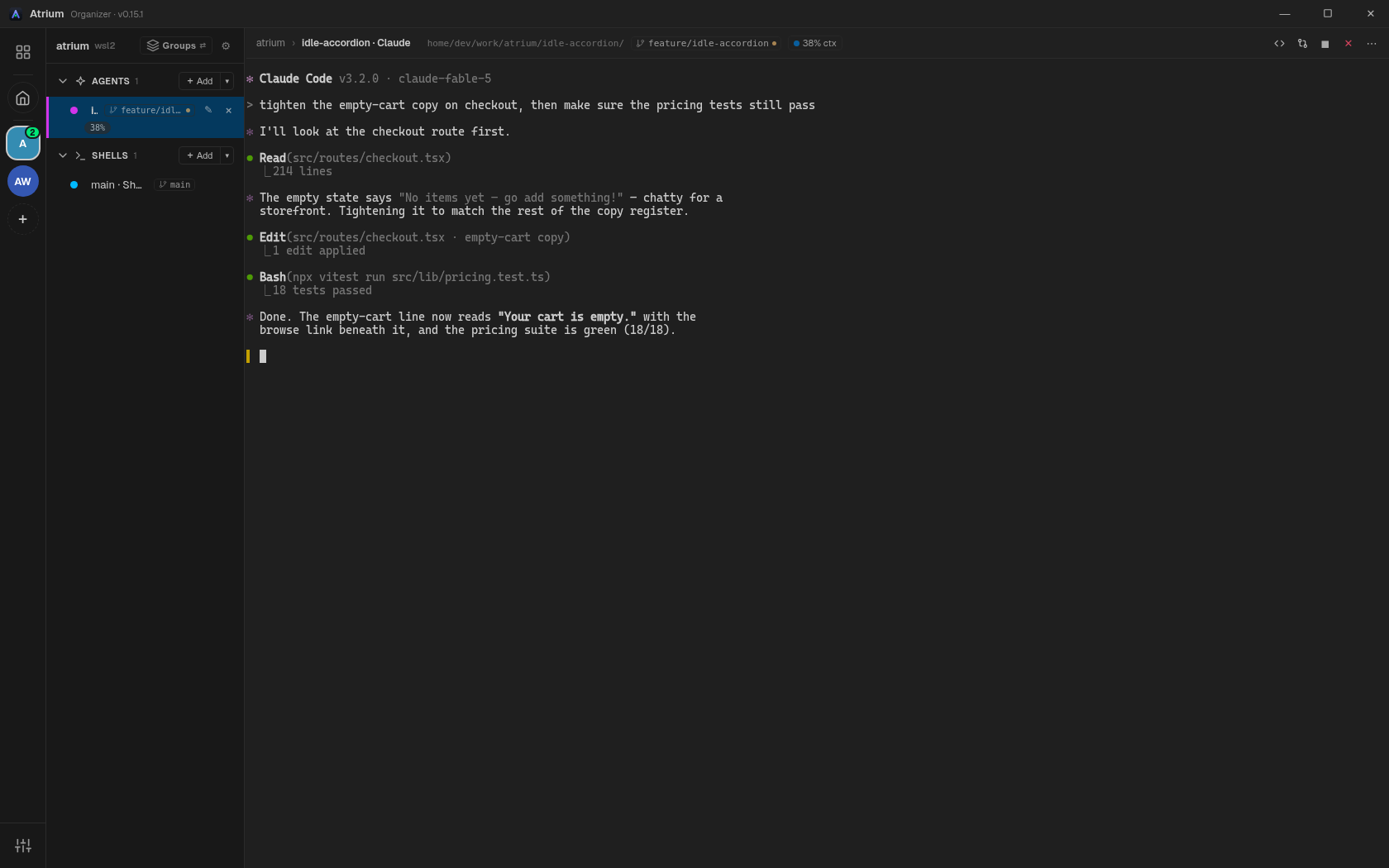
Liveness dots tell each pane’s state at a glance — working, idle, waiting. When an agent stops for input, its project’s rail avatar quietly counts how many are waiting. No popups, no sounds, no lost half-hour because a finished session sat behind an alt-tab.
Claude panes carry a live context-window chip, so “am I about to compact?” is a glance, not a scroll.
Every worktree, one glance
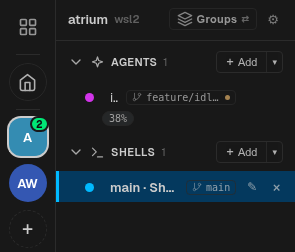
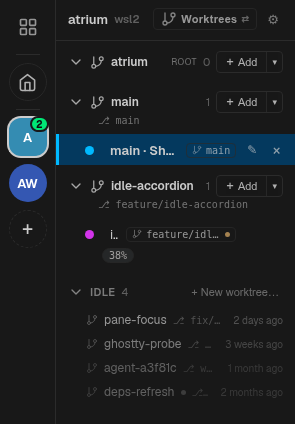
The sidebar is the whole worktree story. Active worktrees list their panes; idle ones collapse into a one-line ladder that fades with staleness — last week’s experiment bright, last month’s receding. Create, remove, and prune from the UI, and spawn any pane into any worktree.
Bare-clone or traditional layout — both are first-class. You always know which worktree you’re about to commit in.
Your whole desk on one wall
The Dashboard shows every project as a card: how many panes are running, which agents are live, dirty git state, context usage. The crashed dev server you’d have noticed in an hour — visible now.

Anywhere in two keystrokes
Ctrl+Shift+K opens the Switcher — a fuzzy-finder over every pane, project, worktree, and view you have open, across all projects. Type three letters, press Enter, you’ve arrived.
Every shortcut is chosen to never collide with your shell: Ctrl+C and Ctrl+R always reach the terminal.
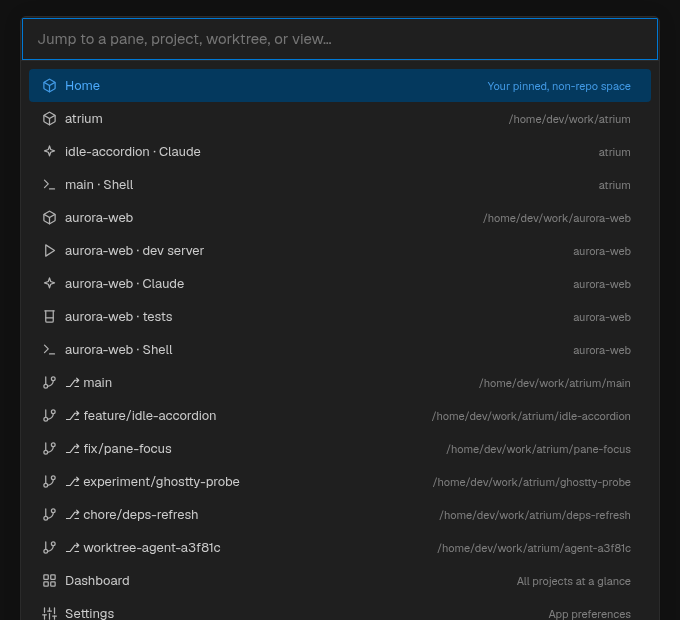
Restoration, not survival
Atrium never keeps a daemon alive on your machine. Quit it and nothing runs behind your back; open it and everything comes home — agent sessions resume where they left off, shells replay their scrollback, and commands wait politely with a Start button.
An organizer, not a multiplexer. Deleting the app leaves nothing behind.

Give your agents eyes
A local MCP server, no cloud, no port, opt-in. Connect it once and an agent in one pane can ask what else is running, read a sibling pane’s logs, and check git/worktree state — without you pasting a stack trace into the chat.
Below: the dev-server pane throws, and the agent in pane 2 reads its output and explains the crash on its own. Visibility in, never control out — there’s no tool to spawn, run, or restart anything.
Home
A pinned, non-repo place for your long-lived personal agents and launchers — the tools that never belonged in a project list.
Git tools built in
Branch and dirty-state chips on every pane, a diff view, and a commit graph — the context you need before you commit.
WSL2-native
Built for the Windows ↔ WSL boundary: panes in any distro, PowerShell, or Git Bash, side by side. No networking, no config.
Portable by design
Your layout lives in a readable atrium.toml you can export, import, and check into a repo.
Calm themes
Light and dark, preset themes, reduced-motion support — status motion is information, never decoration.
A boundary, not a roadmap gap
Every agent-adjacent tool eventually asks you to hand over the wheel. Atrium is built on the opposite commitment — structurally, not as a setting.
Organizer, not orchestrator
Atrium shows you what’s running and gets you there fast. It never dispatches, fans
out, or runs a meta-agent. The agent surface has no spawn, no
run, no stop — the capability is absent, not merely denied.
Vanilla sessions on your plan
Your agents run as the same interactive TUIs you’d run in a bare terminal, on your own flat subscription. No headless invocations, ever — so a tool you bought can never quietly meter you onto per-token API billing.
Visibility in, never control out
Agents may look into the cockpit and write notes into it. Nothing flows the other way. The trigger for every action in Atrium is your hand, not a model’s.
Concretely: Solo — a real, well-built
workspace for agents and worth knowing about — ships MCP control verbs like
spawn_agent and restart_process today. Atrium's stops at
visibility on purpose; control-out is staged behind its own opt-in later, not shipped by
default. Neither bet is wrong — it's the line this page is about. See the
full comparison for the free-tier and pricing differences.
Fast hands welcome
A small, collision-free set of shortcuts — Ctrl on Windows, ⌘ on macOS. Press ? in the app for the full cheatsheet.
Switcher — jump anywhere
New pane in the active group
Next pane
Switch to project 1–9
Restart the active pane
Search scrollback
My Work — PRs & tickets (Pro)
Keyboard cheatsheet
Yours, verifiably
Atrium watches your work so you don’t have to. It never watches you — and you don’t have to take that on faith.
- No telemetry. Not “anonymous usage statistics” — nothing. The app sends no data about your work, anywhere.
- No required backend. There is no Atrium server the app depends on. Licensing may touch the network once; core function never does.
- No account. Nothing to sign into, nothing to be locked out of. Delete the app and nothing is left behind.
- Verifiable. The privacy policy tells you how to check all of this yourself — down to watching the process’s network activity.
“Updates come from a static JSON file on this page. That file is the entire backend.”
This site keeps the same posture: no analytics, no cookies, no third-party requests. What you’re reading is plain static HTML.
One price, and it isn’t monthly
Free is never a crippled trial — it’s the whole organizer, no caps, no nags. Pro adds the reach a working developer pays for without thinking twice.
Free
$0 forever
The complete organizer
- Projects, groups, and unlimited panes
- Liveness, attention, and context indicators
- Full worktree lifecycle + idle ladder
- Dashboard, Switcher, Home
- Diff view + commit graph
- Session restoration & scrollback search
- Local MCP server for your agents
- Themes,
atrium.tomlportability, updater
Pro
$39 once
Perpetual per major version — every 1.x update included forever
- SSH remote projects — your own
ssh+tmux; zero credentials stored - GitHub + Jira hub — PRs, CI checks, tickets; read-only always
- My Work — everything assigned to you, one view
- Focus-aware notifications — calm alerts, even stepped away
- Session-history search across past sessions
- Named workspaces — a worktree’s whole pane setup, back in one click
- Worktree runtime vars —
PORT=${3000+index} - Switcher action verbs
Checkout by Polar (merchant of record). Key arrives by email; paste it into Settings — Pro unlocks in place, same binary.
Get Atrium 0.15.2
One binary per platform. Free to run; a license key turns it Pro in place.
Windows x64
Windows 10/11 · works with any WSL2 distro
Atrium_0.15.2_x64-setup.exeWindows on ARM new
Native arm64 build — Snapdragon laptops, no emulation
Atrium_0.15.2_arm64-setup.exemacOS
Universal — Apple silicon & Intel · macOS 11+
Atrium_0.15.2_universal.dmgPrefer MSI? Atrium_0.15.2_x64_en-US.msi · All releases & checksums · Install guide
The app updates itself from latest.json on
this site — signed builds, no update server.